
Homepage Insights
Learn how Equips homepage delivers insights to your day
N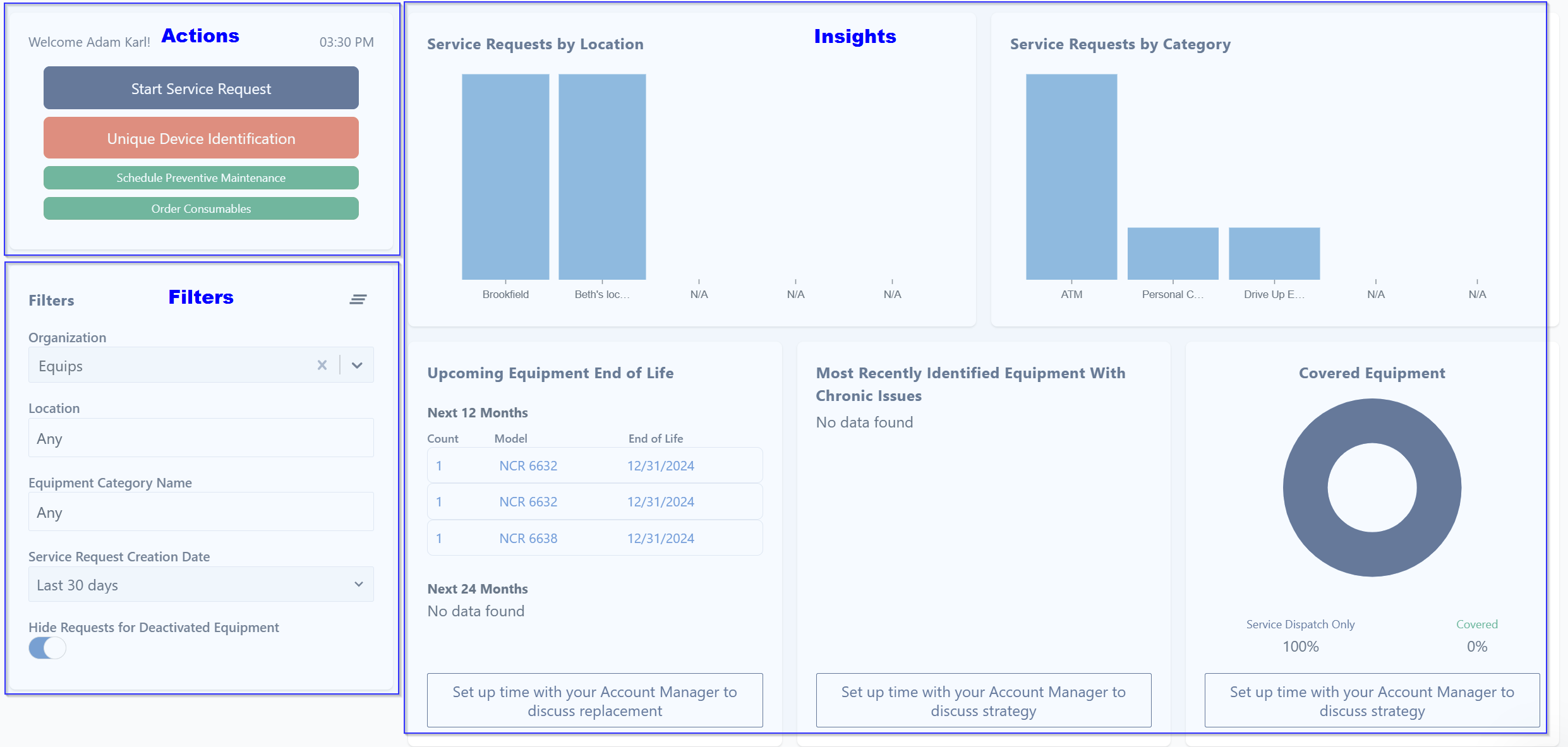
Immediate Actions
Select one of the below actions to submit a service request within seconds.
Start Service Request
Schedule Preventative Maintenance (may be hidden via organization settings)
Order Consumables (may be hidden via organization settings)
Start Service Request
Schedule Preventative Maintenance (may be hidden via organization settings)
Order Consumables (may be hidden via organization settings)
Filters
By utilizing the below filters you can narrow down your dashboard results accordingly.
Location
Equipment Category Name
Service Request Creation Date
Hide Requests for Deactivated Equipment
Location
Equipment Category Name
Service Request Creation Date
Hide Requests for Deactivated Equipment
Insights Widgets
Service request insights
You can now see a quick view of service requests for your organization by location and by category. Clicking on either graph will redirect you to a service request report for that specific location or category.
You can now see a quick view of service requests for your organization by location and by category. Clicking on either graph will redirect you to a service request report for that specific location or category.
Equipment end-of-life insights
This section highlights equipment with an upcoming manufacturer end-of-life date for your specific inventory. This can help you start budgeting and planning replacements. Clicking on the blue hyperlink will redirect you to additional information.
This section highlights equipment with an upcoming manufacturer end-of-life date for your specific inventory. This can help you start budgeting and planning replacements. Clicking on the blue hyperlink will redirect you to additional information.
Chronically problematic equipment insights
This feature identifies equipment with 3+ service requests in the past 30 days. Our internal team is proactively managing these items to work towards root cause resolution with the service provider.
This feature identifies equipment with 3+ service requests in the past 30 days. Our internal team is proactively managing these items to work towards root cause resolution with the service provider.
Coverage insights
Keep track of your equipment under Coverage and Service Dispatch Only.
Keep track of your equipment under Coverage and Service Dispatch Only.
Connect with your Account Manager
Clicking the below button on the dashboard will automatically email our Account Management Team and someone will reach out ASAP.

Connect with your Account Advisor to help with product recommendations, industry trends, add equipment, and so much more!
Did this answer your question?😞😐😃